September 16, 2026 · Speaker Cleaner Sound
Speaker Cleaner Sound: How It Works and How to Use It
By admin
Ever pick up a call and the other person sounds like they’re talking through a pillow? A muffled or quiet call speaker is one of the most common phone annoyances, and it’s often caused by something as simple as light moisture or a bit of trapped dust rather than anything broken. Before assuming the worst, it’s worth trying something quick and non-invasive first.
That’s where a speaker cleaner sound comes in. This guide explains what it is, how the tool on this site works, how to use it properly, and where its limits are. Results can vary depending on your phone, the speaker’s condition, and how much moisture or debris is involved, so this article sticks to what’s realistic rather than making promises.
If you’d like to try it now, you can use the speaker cleaning tool directly in your browser.
What is Call Speaker Cleaner?
The call speaker is the small speaker near the top of your phone, the one you hold to your ear during a call. It’s separate from the louder speaker used for music or speakerphone. Because it’s small and sits close to an opening in the phone’s casing, it’s an easy spot for water, dust, or lint to collect.
When that happens, sound has to pass through whatever is sitting in the way, and it often comes out muffled, quieter than usual, or slightly distorted.
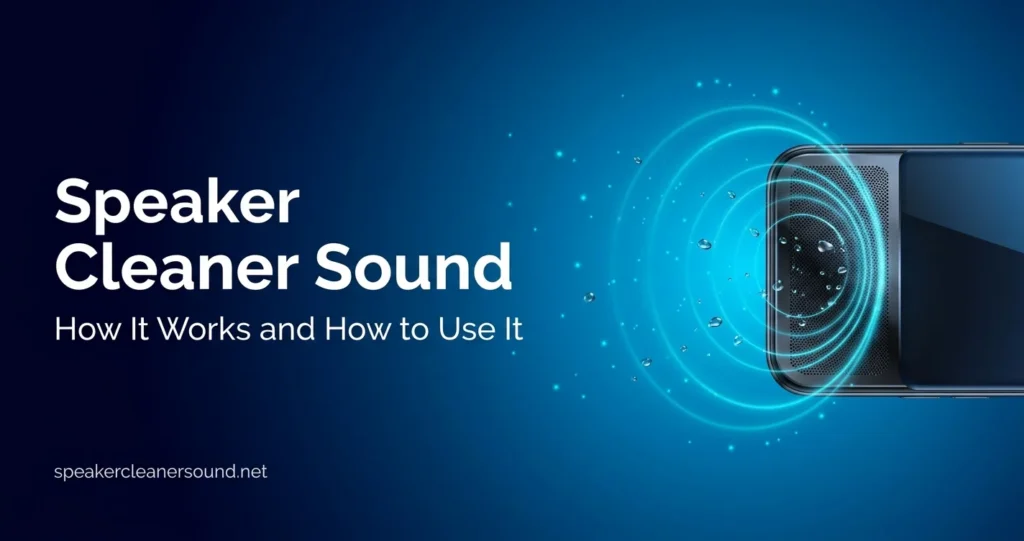
A call speaker cleaner is built around that specific problem. Rather than physically touching or opening the phone, an online speaker cleaner sound plays audio tones through the phone’s own speaker. The vibration from those tones may help nudge light moisture or loose particles away from the opening.
This is different from physically cleaning a phone with a brush, compressed air, or a cloth. A sound-based tool never touches the speaker. It works entirely through vibration created by the audio itself, which is why it’s better thought of as a first, non-invasive step rather than a full cleaning method.
Importance of Using Call Speaker Cleaner
Before reaching for compressed air, a cotton swab, or opening the phone, it makes sense to try something that doesn’t involve touching the device at all. A call speaker cleaning sound is often worth trying first when you notice:
- Muffled or unclear audio during calls
- Speaker volume that seems lower than usual
- A phone that was recently exposed to a small splash or light rain
- Possible dust, lint, or small particles around the speaker opening
- A preference for trying something simple before considering other options
It’s worth being clear about the difference between a temporary speaker issue and real hardware damage. Moisture sitting near the opening or a bit of pocket lint is a surface-level, usually temporary issue. A cracked speaker component, water that has reached deeper into the phone, or internal corrosion is a hardware problem, and no sound-based tool can fix that. If a phone was fully submerged, won’t turn on, or shows visible damage, that calls for professional repair, not a browser tool.
Why Choose Our Call Speaker Dust Cleaner?
There are a few practical, genuine reasons to try the tool on this site:
- Works directly in your browser. Nothing to download or install.
- No app required. Open the page and use it right away.
- Simple to use. Clear steps, nothing technical to configure.
- Convenient. Try it wherever you are, right from your phone.
- Non-invasive. No need to open the phone or use physical tools.
- Quick to try. A session only takes a few minutes.
This isn’t the only method that can help, and it won’t outperform a professional repair when real hardware damage is involved. It’s simply a convenient, low-effort option worth trying first.
Benefits of Using Our Call Speaker Cleaner
Used sensibly, this kind of tool offers a few practical benefits:
- Easy to access from a phone or computer browser
- No software installation needed
- A reasonable way to try a sound-based cleaning method
- Potentially useful after minor moisture exposure, like a light splash
- No need to open the phone or remove any parts
- Free to use, with no account required
These benefits come with a clear limit. This tool is not a substitute for professional repair when a speaker has physical or internal damage. If a volume issue or distortion continues after trying it and giving the phone time to dry, that’s a sign the problem likely goes beyond what sound alone can reach.
Features of Our Call Speaker Cleaner
A straightforward look at what the tool actually offers:
- Online, browser-based speaker cleaning
- No installation or app download required
- Simple, easy-to-follow controls
- A sound-based cleaning approach using audio tones
- Works on common smartphones with a built-in speaker and web browser
- Quick access with no account or sign-up
- A layout that’s easy to follow on a phone screen
How to Use Speaker Cleaner Sound
Using the tool takes just a few minutes. Here’s how:
- Open Speaker Cleaner Sound in your phone’s browser.
- Check that the speaker isn’t physically covered, for example by a case, sticker, or something resting over it.
- Set a comfortable, moderate volume. Loud enough to hear clearly, not turned all the way up.
- Start the cleaning sound using the on-screen controls and pick the mode that matches your situation, such as water or dust.
- Follow the on-screen instructions and let the tone run through its cycle.
- Check the speaker afterward by playing a short voice memo, video, or making a test call at a moderate volume.
- Repeat only if it seems to help. Trying it a couple of times is reasonable. If nothing changes, running it again isn’t likely to help further.
A few safety notes worth repeating: don’t insert anything into the speaker openings, avoid pressing on the phone, and don’t apply heat to try to dry it faster. These habits tend to cause more harm than the moisture or dust itself.
How Does Speaker Cleaner Sound Work?
The idea behind speaker cleaner sound is fairly simple. A phone speaker works through a small diaphragm that vibrates to produce sound. Certain tones can cause that diaphragm to move more actively than it would during ordinary music or calls.
That extra movement may help encourage small amounts of surface moisture or loose particles near the speaker opening to shift and move out. It’s best understood as a mechanical, physical effect, not a chemical or electronic one, and not something that can be measured or confirmed from the outside.
It’s worth staying cautious about what this can and can’t do. Vibration from sound cannot reach dust that’s packed deep inside a speaker, and it can’t guarantee that all moisture is cleared, especially if water has traveled further into the device. It has no effect on components that are already damaged or corroded. Think of it as one reasonable step worth trying, not a fix for every kind of speaker problem.
When Should You Use a Call Speaker Cleaner?
This kind of tool tends to be most useful when:
- Call audio suddenly sounds muffled or unclear
- Speaker volume seems noticeably lower than normal
- The phone was exposed to a small splash, light rain, or brief moisture
- You suspect dust or small particles are sitting near the speaker opening
- You’d like to try something simple before considering other options
There are also times to stop and look for professional help instead:
- The phone was fully submerged, not just lightly splashed
- The speaker shows obvious signs of physical damage
- Distortion continues even after the phone has had time to dry
- The speaker remains nonfunctional after a couple of reasonable attempts
- You notice unusual smells, warmth, or other symptoms unrelated to sound quality
If any of these apply, a sound-based tool isn’t the right next step. That calls for a qualified technician who can actually inspect the phone’s internal components.
Frequently Asked Questions (FAQs)
How to clean call speaker using this online tool?
Open the tool in your phone’s browser, make sure the speaker opening isn’t covered, set a comfortable volume, and start the cleaning sound. Let the cycle run, then test the speaker with a voice memo or short call to check for any change. Trying it a couple of times is reasonable if needed.
Is this call speaker cleaning tool safe for my phone?
Used at a reasonable volume and following the on-screen instructions, it’s designed as a safe, non-invasive method that doesn’t involve opening the phone or inserting anything into it. That said, no method can be called risk-free in absolutely every situation, and results depend on your specific device and speaker condition.
How to fix low call speaker sound instantly?
There’s no tool, including this one, that can promise an instant fix. Low speaker volume can come from several causes, including moisture, dust, software settings, or a hardware issue. This tool is worth trying as a first step, but how much it helps, and how quickly, depends on what’s actually causing the problem.
Can this tool remove dust from call speaker holes?
It may help with light, loose dust or small particles sitting near the surface of the speaker opening. It isn’t designed to remove dust that’s compacted or lodged deep inside the speaker, and it can’t guarantee complete removal in every case.
How to remove dust from call speaker without opening the phone?
A sound-based tool like this one is one non-invasive option. Gently wiping the outside of the speaker grille with a soft, dry cloth or brush can also help with visible surface dust. Avoid inserting pins, toothpicks, cotton swabs, or anything sharp or liquid into the speaker openings, since this can push debris further in or damage the speaker mesh.
Is this call speaker cleaner free to use?
Yes. The tool is free to use directly in your browser, with no account or download required.
Can a call speaker water cleaner help after a splash?
It may help with light moisture sitting near the speaker opening after something like a small splash. It isn’t a substitute for proper drying time, and it isn’t intended for phones that have been fully submerged or heavily soaked, which call for more careful handling and, in some cases, professional attention.
What makes this the best call speaker cleaner online?
Rather than claim to be the best, it’s more honest to point to what makes it genuinely convenient: it runs directly in your browser, needs no installation, is free to use, and takes just a few minutes to try. Whether it helps in your specific case depends on your phone and what’s actually affecting the speaker.
How long does the fast call speaker cleaner online take?
The tool guides you through the cycle on screen, so there’s no need to guess a duration yourself. In general, the process is designed to be quick, taking just a few minutes from start to checking the result.
Does the phone call speaker cleaner tool work on all brands?
Because the tool is browser and sound based, it can generally be used on modern smartphones that can play audio through a browser, across common brands. That said, results can vary depending on your specific device, speaker design, volume settings, and the actual condition of the speaker, so identical results across every brand and model can’t be guaranteed.
Ready to try it yourself? Open the speaker cleaner tool and run a quick cycle to see if it helps. For more detail on the process, visit the how it works page, browse the full FAQ, or check the disclaimer page for the tool’s limitations. Questions are welcome through the contact page.
Leave a Reply